

Shopify Store Speed Dropping Sales? The Technical Bottlenecks Draining Ecommerce Revenue
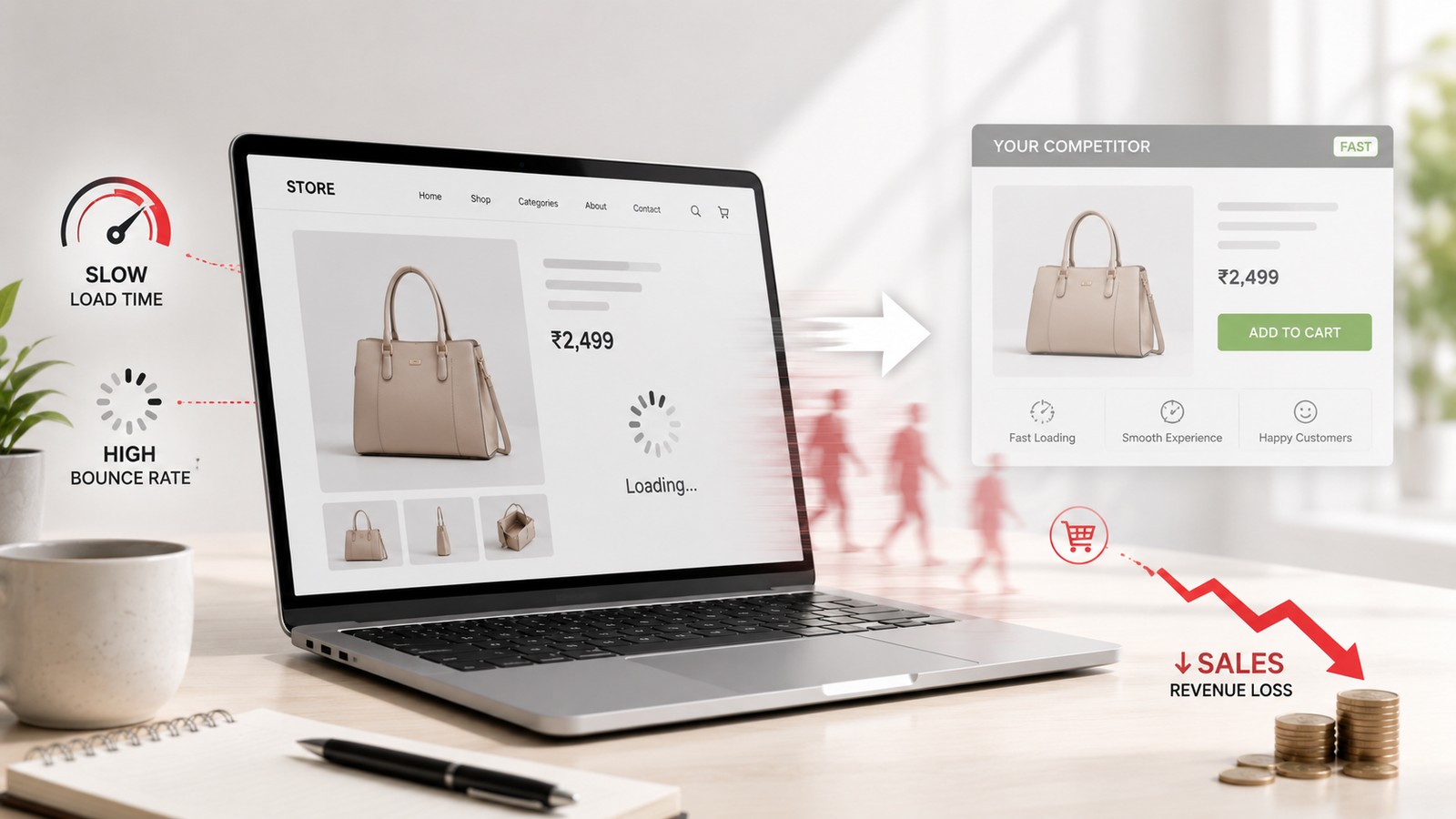
An online storefront can feature exceptional branding, targeted marketing campaigns, and high-demand products, yet still suffer from unexplained conversion drops. For modern merchants, subtle delays during product browsing or checkout often act as invisible revenue leaks. When a store takes too long to render product media, process interactive filters, or load third-party scripts, prospective buyers leave before reaching the payment confirmation screen.
Resolving these performance drops requires moving past basic app uninstalls and addressing deeper structural obstacles within your theme, code infrastructure, and media pipeline. Partnering with an experienced Shopify development agency helps businesses identify and resolve complex backend bottlenecks that drag down site performance and frustrate shopping interactions.
Direct Answer: Slow Shopify store speed directly degrades customer conversion rates by introducing friction during critical browsing and checkout moments. The primary technical causes include accumulated app script bloat, unoptimized Liquid theme templates, uncompressed high-resolution images, and render-blocking JavaScript files. Fixing these bottlenecks requires deep theme optimization, script deferral, asset compression, and clean architectural refactoring.
Table of Contents
- How Speed Impacts Buyer Behavior and Revenue
- App Bloat and Orphaned Script Overhead
- Liquid Code Efficiency and Asset Delivery Bottlenecks
- Technical Bottlenecks and Optimization Matrix
- Why Technical Expertise Matters for Core Web Vitals
- Practical Audit and Modernization Strategy
- Conclusion
How Speed Impacts Buyer Behavior and Revenue
Online shoppers expect immediate visual feedback when interacting with product pages, select navigation menus, or apply discount codes. When pages stall, consumers lose confidence in the store’s security and operational reliability. Modern e-commerce platforms must serve visual content instantly, ensuring users transition smoothly from product discovery to cart creation without experiencing lag.
Beyond immediate customer frustration, sluggish performance directly damages organic discovery. Major search engines factor user experience metrics—specifically page stability, interactivity speeds, and visual loading times—into organic search rankings. A store that loads slowly risks losing both paid ad ROI and organic search visibility, creating a compound negative effect on revenue.
- Elevated Bounce Rates: First-time visitors leave instantly if visual content takes too long to appear above the fold.
- Cart Abandonment: Latency during add-to-cart operations or payment gateways creates unnecessary friction during buying decisions.
- Reduced Lifetime Value: Frustrated customers rarely return, hurting repeat order rates and customer retention efforts.
- Diminished Search Visibility: Search algorithms favor fast, responsive pages, reducing exposure for slow-loading storefronts.
App Bloat and Orphaned Script Overhead
One of the most frequent causes of slowdown in growing Shopify stores is the unmanaged accumulation of third-party apps. While applications introduce valuable features like social proof widgets, review carousels, pop-ups, and loyalty programs, each app typically injects external JavaScript files, CSS style sheets, and tracking pixels into your store header.
Even after an application is removed from the Shopify dashboard, its underlying code fragments often remain embedded inside key theme files, such as theme.liquid. These orphaned scripts continue to execute unnecessary HTTP requests, blocking browser rendering threads and delaying interactive elements for shoppers.
To eliminate script overhead, technical teams audit external tags, consolidate tracking tools into asynchronous tag management systems, and manually remove legacy code references left behind by old apps.
Liquid Code Efficiency and Asset Delivery Bottlenecks
Shopify uses Liquid as its server-side template language to render dynamic storefront content. However, inefficiently written Liquid loops can create performance bottlenecks on the server side. For example, nested iteration loops that process large product collections or complex variant structures slow down page generation before rendering even begins.
In addition to template complexity, client-side asset delivery often stalls performance due to uncompressed images and unoptimized video files. High-resolution product photography is vital for selling online, but serving oversized image files without modern WebP compression or lazy-loading tags forces mobile devices to download excessive data, causing layout shifts and delays.
Addressing these structural issues often requires professional code refactoring or complete layout modernizations. Businesses working with website rebuilding services can restructure legacy themes around clean modular components, eliminating inefficient code structures while preserving essential commercial features.
Why Technical Expertise Matters for Core Web Vitals
Core Web Vitals measure real-world user experience across three foundational pillars: Largest Contentful Paint (LCP), Interaction to Next Paint (INP), and Cumulative Layout Shift (CLS). Automated optimization apps often attempt to fix these metrics using automated script deferral, which can break critical theme features like dynamic cart drawers, currency converters, or variant selectors.
Resolving Core Web Vitals issues cleanly requires custom technical engineering. Specialized engineering teams manually inspect the execution order of JavaScript modules, preload essential display assets, and specify modern image dimensions to prevent unexpected page jumps.
Organizations evaluating store optimizations rely on structured technical assessments to align user experience improvements with strategic commerce objectives. Digifier Web Technologies LLP supports e-commerce brands by diagnosing underlying code issues and implementing clean, sustainable performance fixes across custom Shopify stores.
Practical Audit and Modernization Strategy
Optimizing a Shopify store for high performance involves a systematic, step-by-step process. Rather than applying quick automated fixes that create code instability, store operators should follow a structured optimization strategy:
- Conduct a Comprehensive Performance Audit: Profile asset load sequences and main-thread JavaScript execution times on both desktop and mobile views.
- Consolidate App Architecture: Replace redundant app integrations with custom native Liquid code or unified API connections where practical.
- Optimize the Visual Rendering Pipeline: Implement modern image formats, define explicit media aspect ratios, and prioritize hero images above the fold.
- Refactor Legacy Theme Code: Remove orphaned code snippets, streamline Liquid loop logic, and ensure asynchronous script loading for secondary tools.
Conclusion
Unresolved store latency is a direct technical obstacle to e-commerce growth. When product pages lag and interactive elements hesitate, prospective buyers exit, leading to lost sales and wasted marketing spend. Addressing these performance leaks requires looking beyond basic app installations and resolving root-level issues within theme templates, media compression pipelines, and script architectures.
By systematically auditing code execution, stripping out redundant code fragments, and refactoringLiquid loops, online brands create faster, frictionless shopping journeys that improve conversion rates. Engaging a qualified professional team ensures these speed optimizations remain stable, scalable, and fully aligned with long-term business goals.